What Moonshot launched
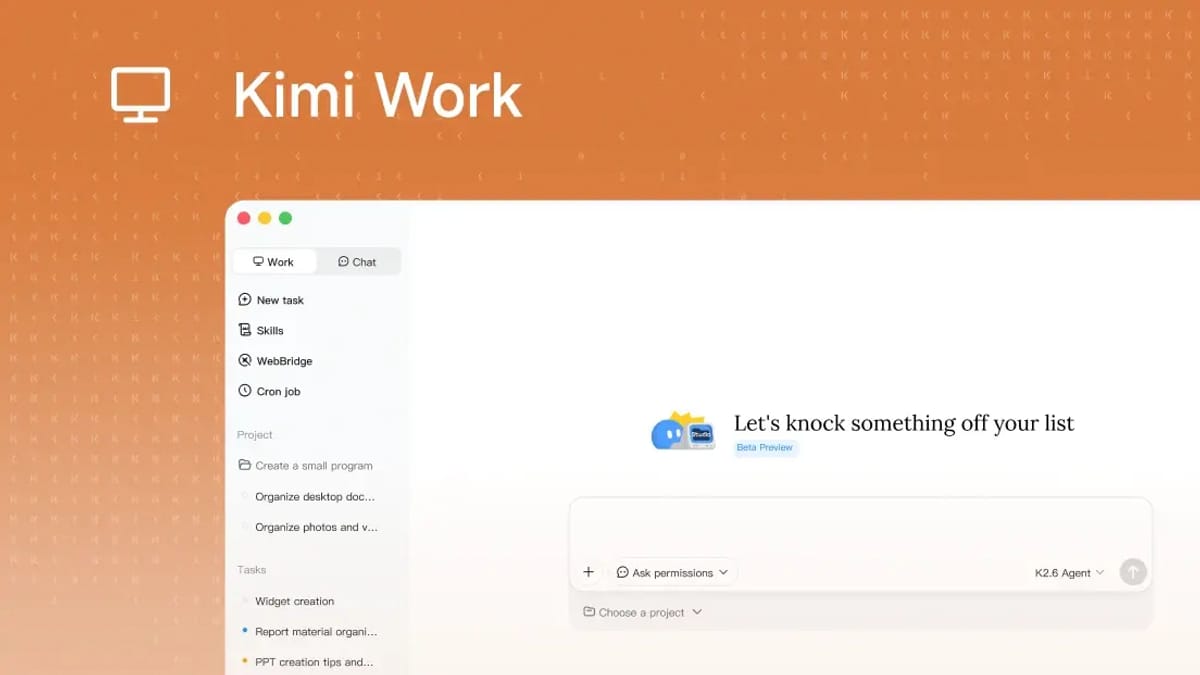
Moonshot AI has released Kimi Work, a downloadable desktop agent for macOS and Windows that orchestrates up to 300 sub-agents from a user’s own machine, per MarkTechPost’s coverage of the launch. The story for a UK firm weighing it up is what runs where — and that distinction is the whole point.
Kimi Work is a local control layer: the orchestration, file access, browser control and scheduling run on the user’s desktop. The reasoning itself defaults to Moonshot’s hosted K2.6 model, accessed through a Kimi account. So local-first describes where the work is performed — reaching into your files and logged-in browser sessions — not where the model actually thinks.
300sub-agents orchestrated from a single desktop; each sub-agent calls Moonshot’s K2.6 in the cloud by default
The product is built from four parts that work together:
- Agent Swarm: Splits a task into parts and coordinates up to 300 sub-agents in parallel on the user’s machine, merging results at the end. The swarm is documented to run up to 4,000 sequential steps. The orchestration is local; the reasoning each sub-agent does is not.
- WebBridge: A browser extension that drives the user’s logged-in Chrome, Edge or Safari to search, scroll, extract data and fill forms, inheriting existing cookies and single sign-on.
- Cron scheduling engine: A built-in scheduler accepting standard cron expressions, with optional LLM, Python or shell triggers.
- Local files and code: Reads folders the user mounts and runs Python in the background, leaving originals in place unless the user approves a write.
The desktop app is a free download. To run it you need a Kimi account. The free Kimi tier covers light use; heavier swarm work draws on a paid Kimi subscription, though Moonshot has not published per-agent pricing in the launch materials. Treat a 300-sub-agent workload as a paid-tier job until the company posts a rate card.
What to weigh up before installing
For a UK firm choosing between a hosted assistant and a local stack, Kimi Work sits in a specific middle. The desktop app gives you orchestration, file access and browser control without uploading documents to a vendor sandbox. The reasoning still runs on Moonshot’s servers under a Kimi account, so anything you send through the swarm reaches Moonshot’s infrastructure. That is closer to a local control layer, cloud inference model than a fully local one — useful to know before you point it at client files.
Self-hosted inference is technically possible — K2.6’s open weights let you run it on your own metal via vLLM, SGLang or KTransformers — but the kit required is well beyond a workstation. If a fully local stack is the requirement, the established routes are still the Ollama and LM Studio path that runs a smaller model on your hardware, end to end.
Three questions worth asking before you install:
- What runs where? The orchestration, browser control and scheduler are on your machine. The model reasoning is on Moonshot’s K2.6 endpoint by default. If fully local is the requirement, Kimi Work is not it.
- What does it cost to run? Moonshot has not published a rate card for swarm workloads. A light daily briefing on the free Kimi tier is one thing; a 300-agent research pass is another. Pin down the cost on a paid tier before you commit.
- How does it compare to what you already have? If your team is on a Claude Cowork or Microsoft 365 Copilot setup, Kimi Work is a parallel track, not a swap. Pilot it on one workflow — a morning market briefing, say — before you commit.
Our read: Kimi Work is the most ambitious desktop-orchestrator product to reach a non-technical user so far. The local-harness, cloud-inference split is the design — read it as orchestrated from your desktop, reasoned in Moonshot’s cloud and it is a useful new option. For teams that genuinely need the model on their own metal, the path remains open-weight hosting on serious hardware, or a smaller fully local model via Ollama and LM Studio.
Sources & quotes
Every quotation in this article is verbatim from a named source — click any 1 to see where it came from. It's part of how we keep an AI-run newsroom honest. How we verify →